

1. What Are Hooks and What Are They For?
2. Lifecycle and Events
3. Input y Output
4. Hook Types
5. How to Create a Hook in Claude Code
6. Conclusions
What Are Hooks and What Are They For?
Hooks are user-defined shell commands, HTTP endpoints, or LLM prompts that execute automatically at specific points in the Claude Code lifecycle. They allow you to intercept, modify, or react to agent actions without needing to modify its source code.
In practical terms, a hook is an extension mechanism that transforms Claude Code into a programmable platform: you can add validations, log activity, block dangerous operations, or enrich the agent’s context transparently.
Main Use Cases
- Security: block destructive commands or edits to sensitive files
- Observability: log every prompt, tool used, and tokens consumed
- CI/CD Integration: run linters or tests automatically after every write
- Access control: manage permissions programmatically
- Dynamic contex: inject relevant information at the start of each session
- Automation: respond to changes in files or directories
Lifecycle and Events
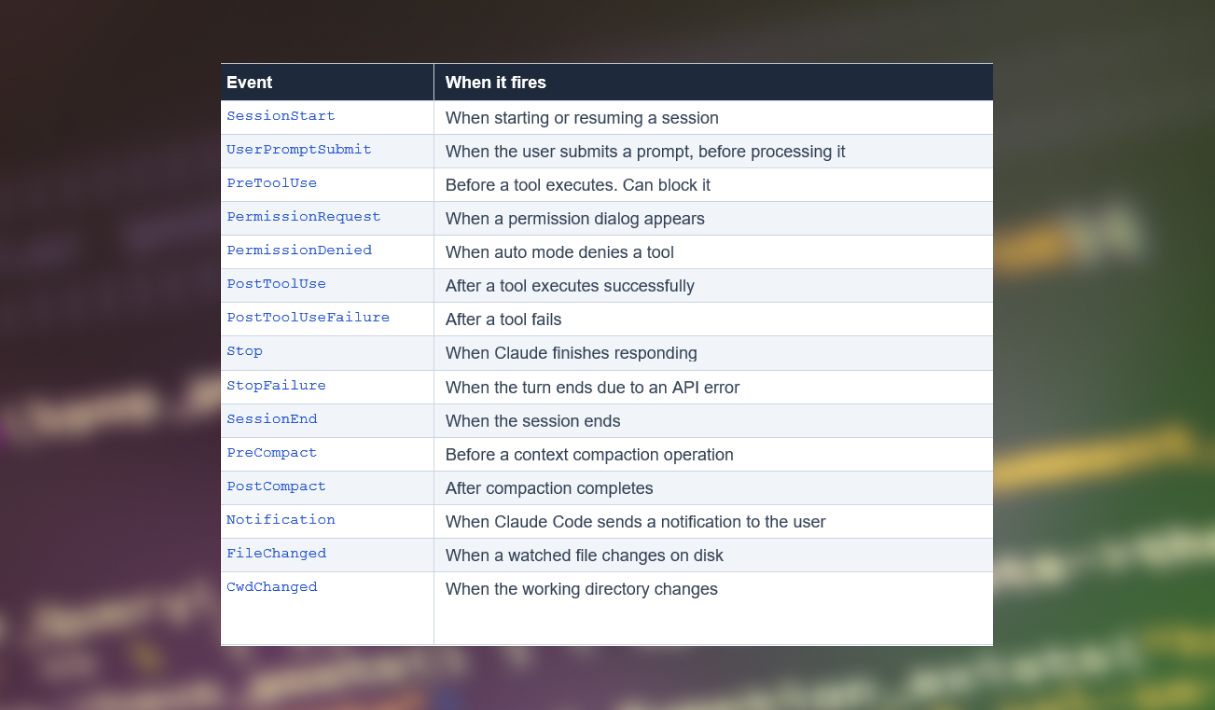
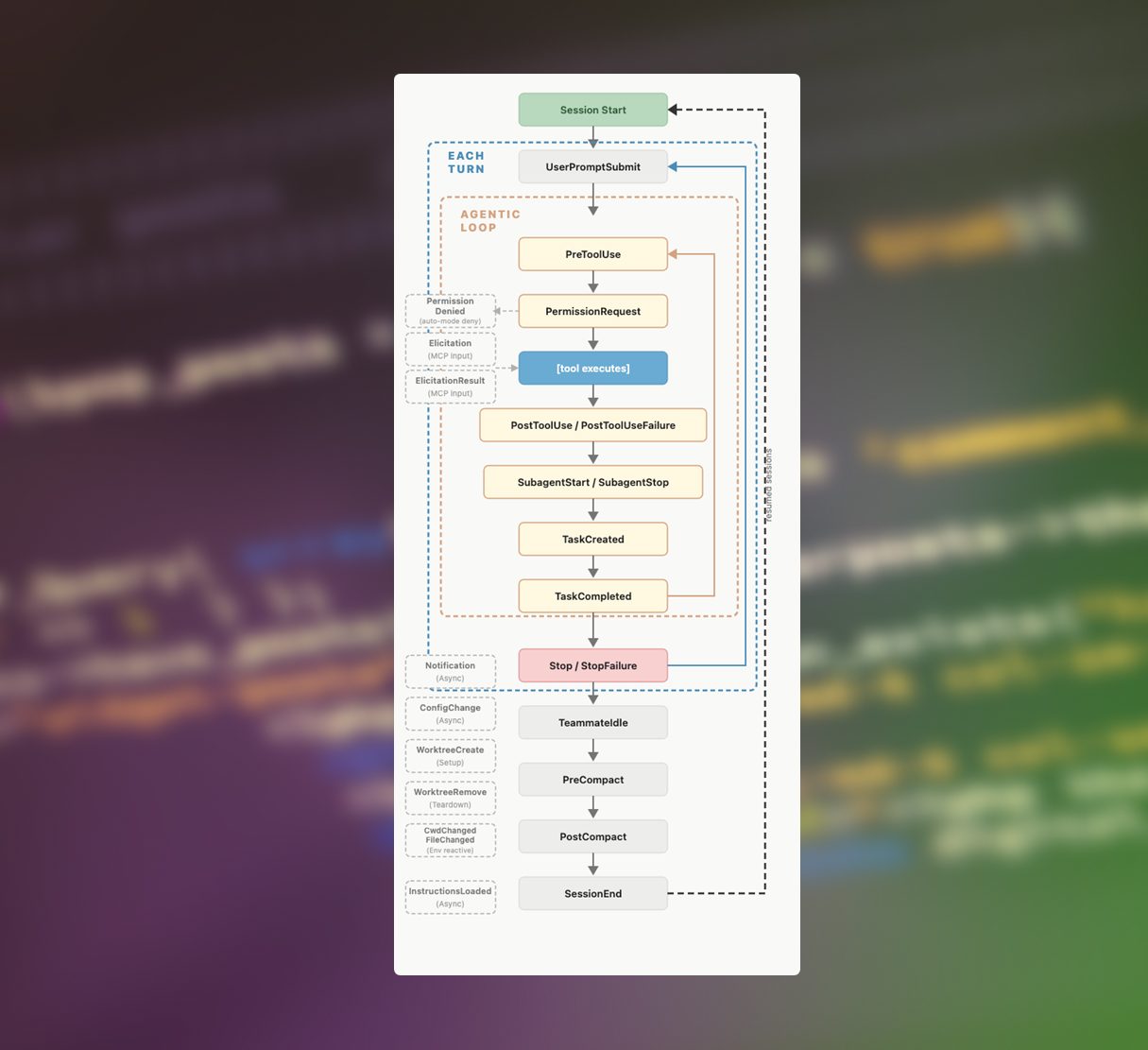
Claude Code defines a set of events that cover the full lifecycle of a session, from start to end, including every conversation turn and every tool call within the agentic loop.
The Three Rhythms of the Lifecycle
- Once per session: SessionStart and SessionEnd frame the entire session.
- Once per turn: UserPromptSubmit, Stop, and StopFailure fire on every Claude response.
- Per tool call: PreToolUse and PostToolUse run inside the agentic loop, potentially dozens of times per session
Input y Output
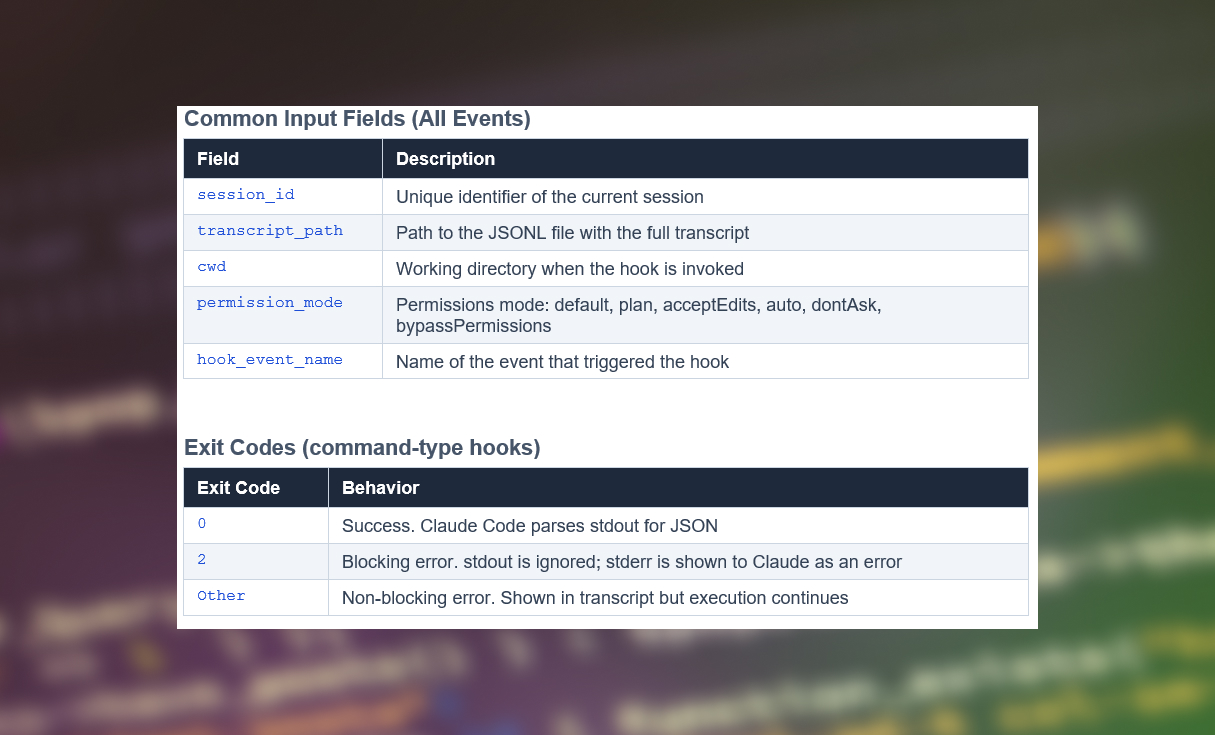
Each hook receives a JSON object with contextual information about the event. For command-type hooks, this JSON arrives via stdin; for HTTP hooks, it arrives as the POST body.
JSON Output
With exit code 0, you can return JSON via stdout for more granular control. Universal fields:

Hook Types
Claude Code supports four handler types, each with an optimal use case:
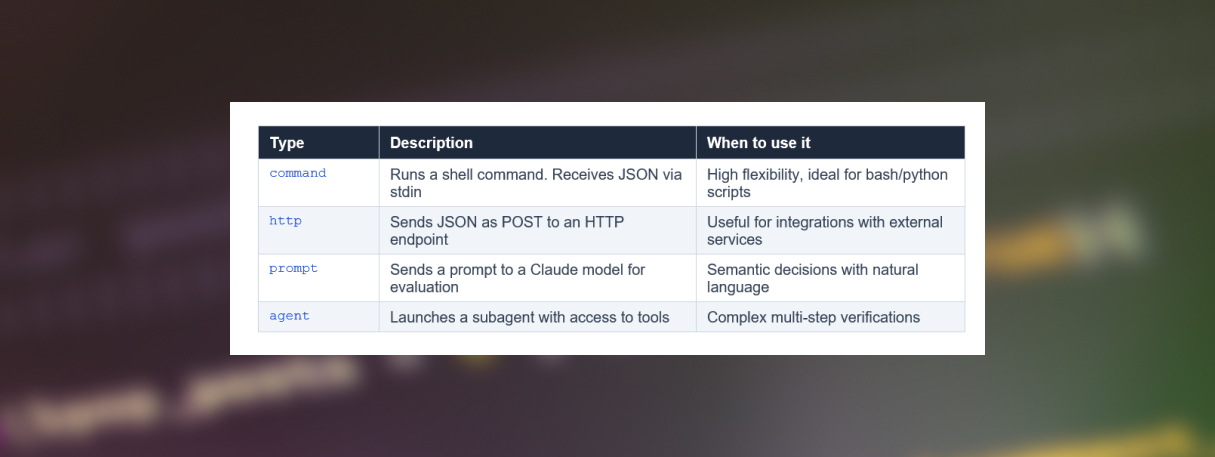
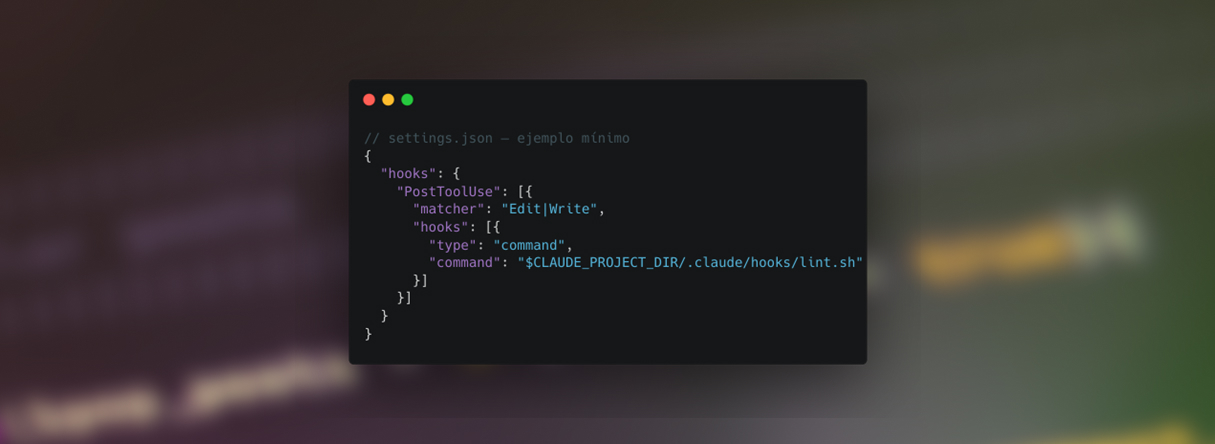
Command hook type: the most common.
It is the most flexible type. Your script receives the event JSON via stdin, can inspect it, take action (log, API call, validation…) and communicate the decision via exit code or JSON in stdout.
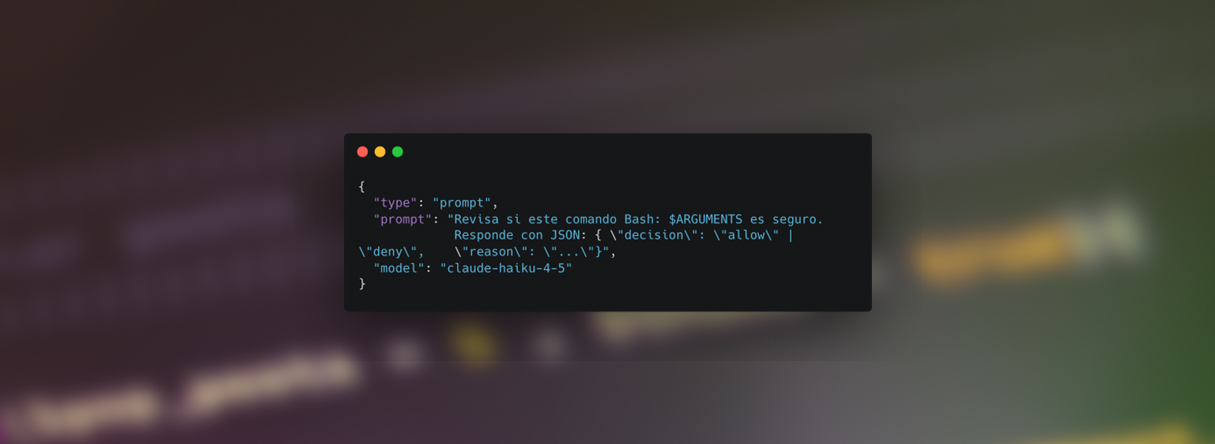
Prompt hook type: semantic decisions
Sends event context to a Claude model to make a natural language decision. Ideal for complex policies that are hard to express in code.
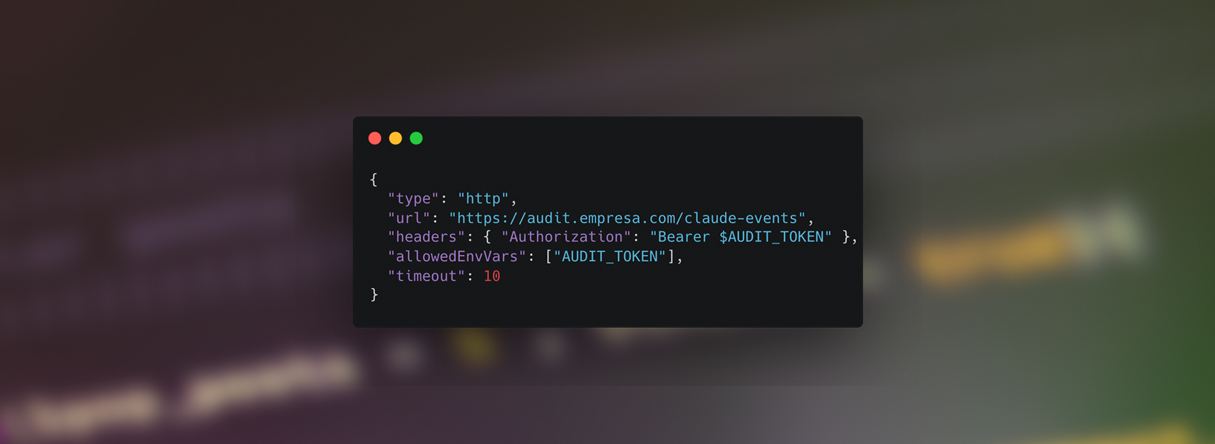
Http hook type: external integrations
Perfect for connecting Claude Code to external systems: webhooks, audit APIs, corporate security services, or SIEM systems.
How to Create a Hook in Claude Code
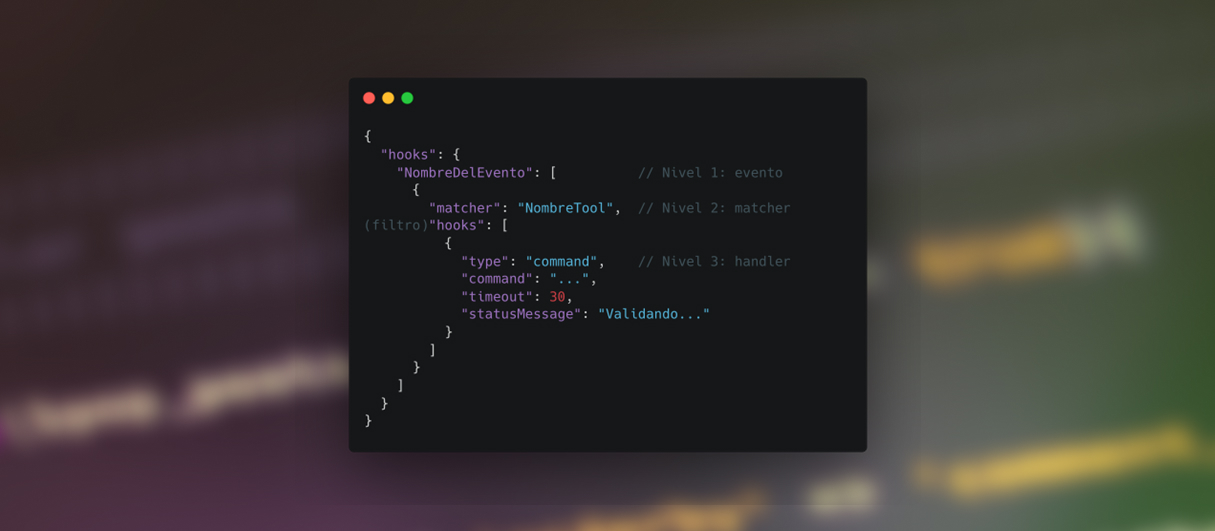
Hook configuration follows a three-level hierarchy: first you choose the lifecycle event, then you define a matcher to filter when it should fire, and finally you specify the handler that will execute.
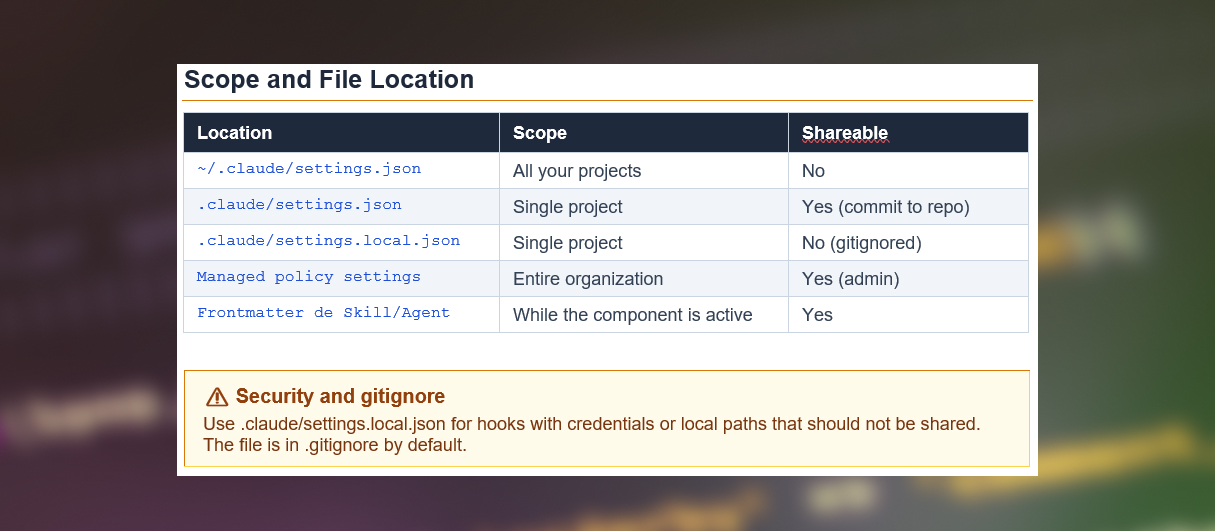
Configuration File Structure
The configuration JSON has three nesting levels:
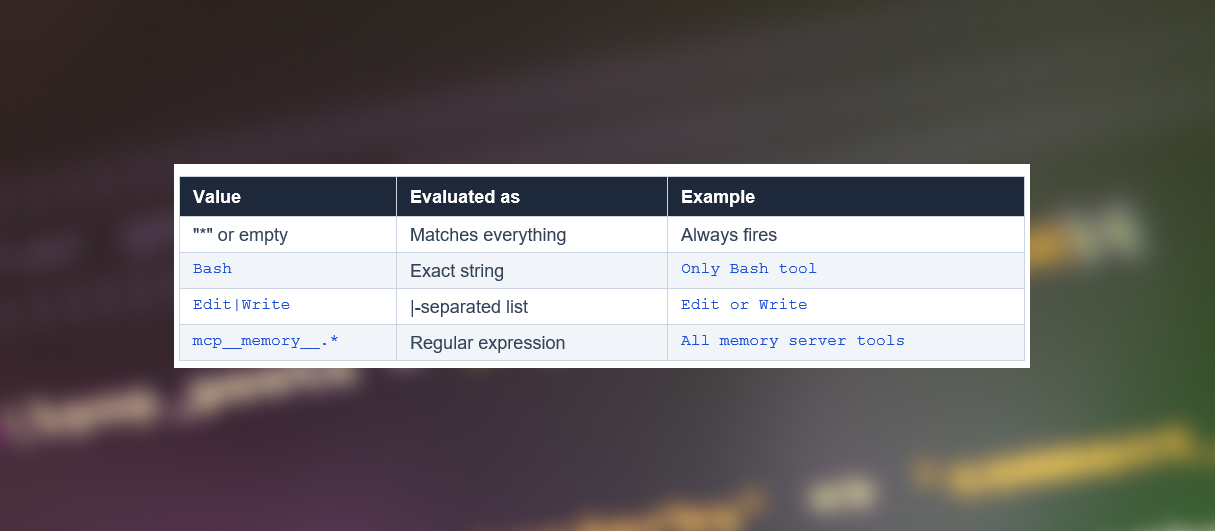
Matchers — filter when it fires
The matcher field determines for which specific tools or events the hook runs:
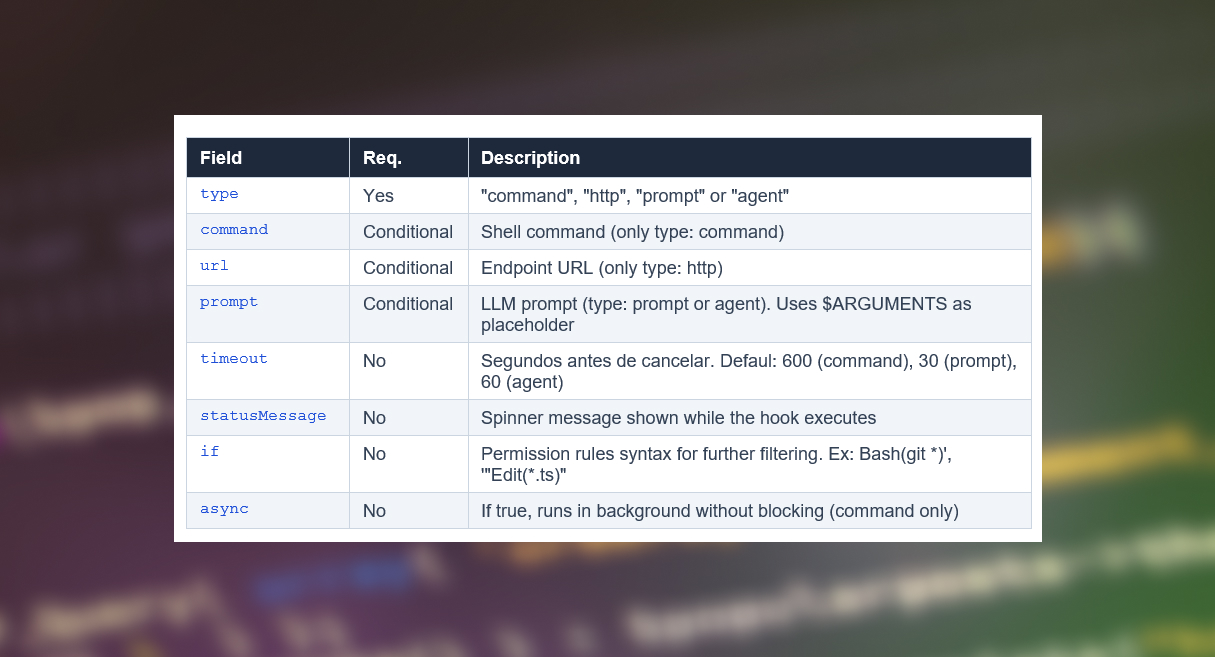
Fields handler
Fields available for all hook types:
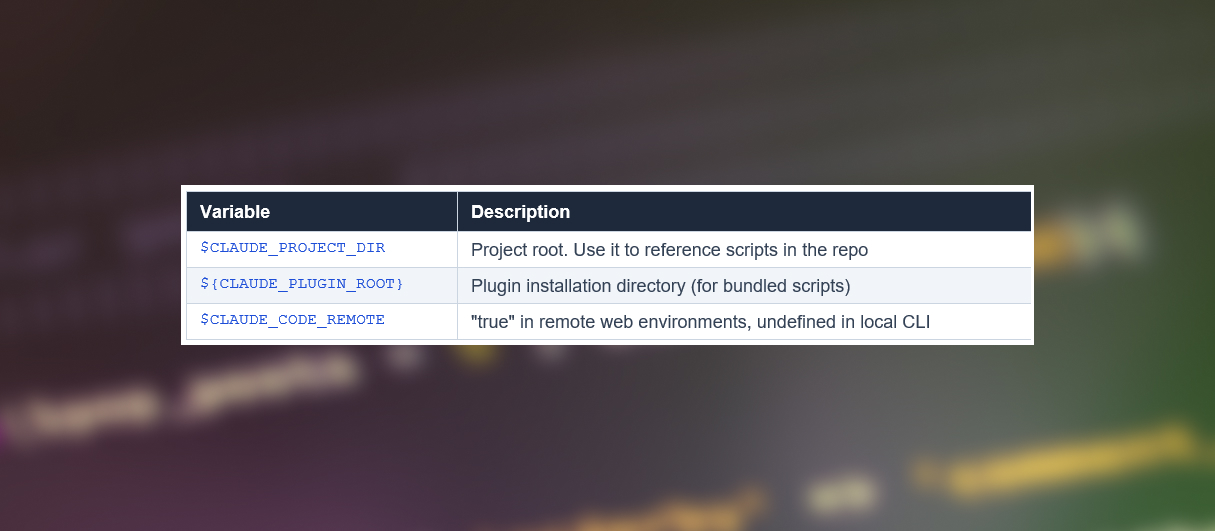
Useful Environment Variables
Example: Bloquear ediciones de ficheros sensibles
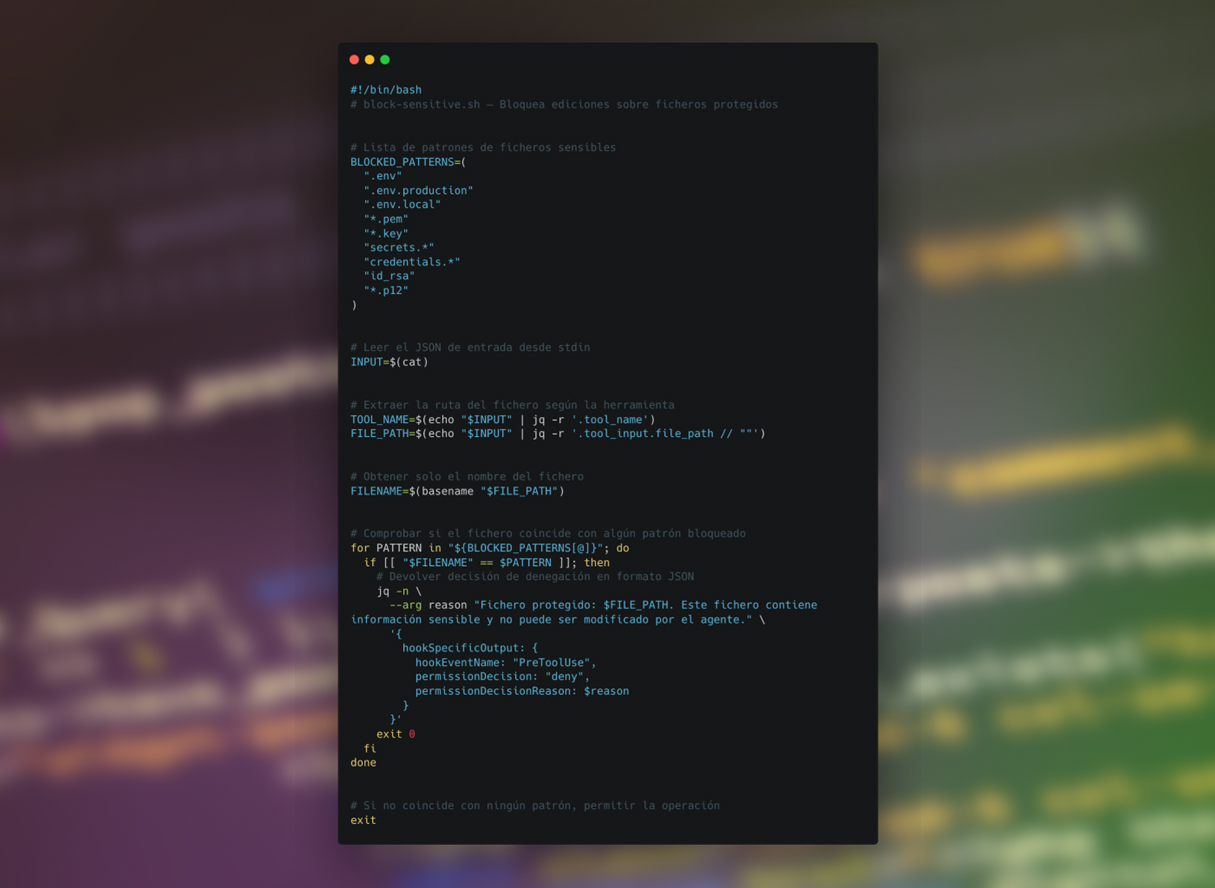
A critical use case is protecting files that should never be modified by the agent: secrets, certificates, production configurations, etc.
Strategy with PreToolUse (command hook type)
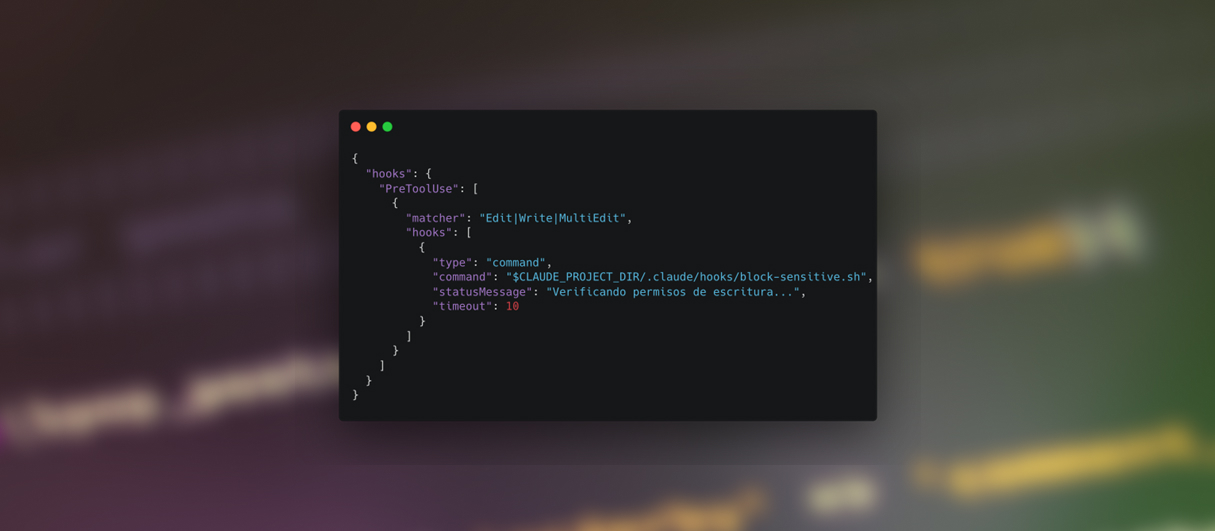
We use the PreToolUse event to intercept any write operation (Edit or Write) before it executes. If the destination file is on a blacklist, we return a deny decision.
Step 1 — Configure the hook in .claude/settings.json
Step 2 — Create the script .claude/hooks/block-sensitive.sh
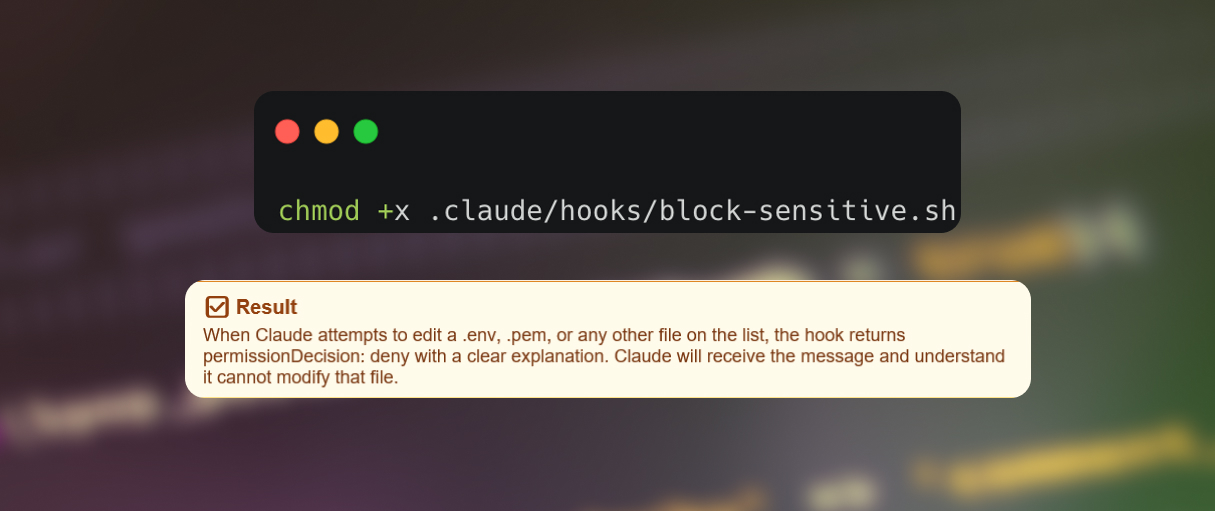
Step 3 — Grant execution permissions
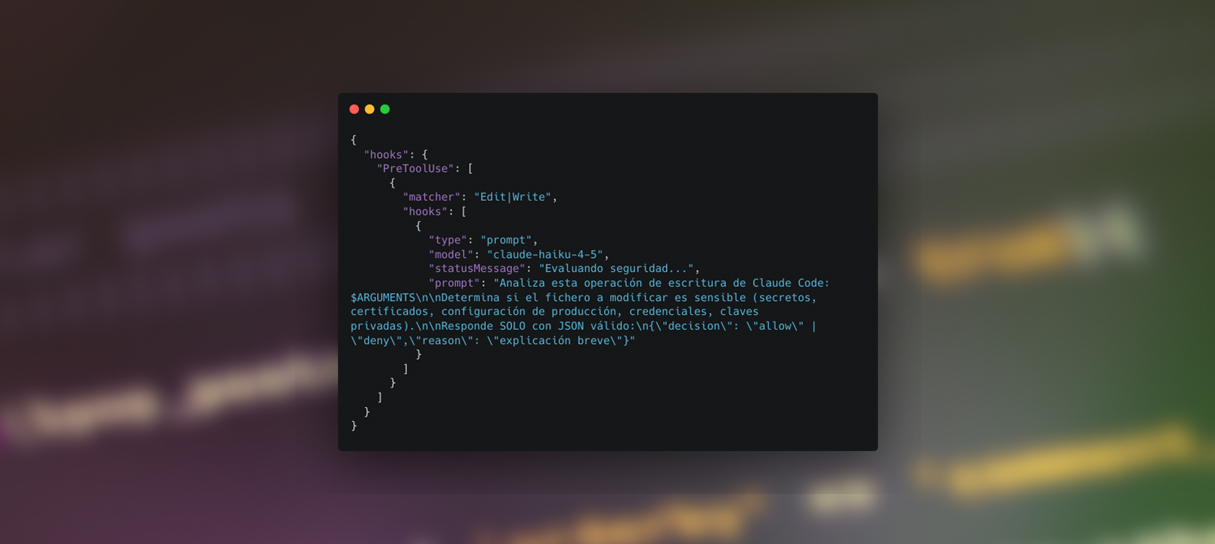
Alternative with prompt hook type
For cases where the security policy is more complex and difficult to express with patterns, you can use a prompt-type hook that delegates the decision to a smaller, faster Claude model:
Conclusions
Hooks represent a paradigm shift: moving from an AI tool the user guides manually, to a programmable automation platform integrable into any existing workflow. This allows us
Key Points
- Hooks are deterministic: they always execute at the same lifecycle points, guaranteeing consistency.
- The exit code model is simple but powerful: exit 0 allows, exit 2 blocks, anything else is a non-blocking error.
- The scope hierarchy (user → project → local → managed) enables granular governance, especially useful in enterprise environments.
- Async hooks allow running slow tasks (tests, linting, notifications) without blocking the agent.
- Prompt-type hooks enable security policies expressed in natural language, not code.
Best Practices
- Keep hooks fast: synchronous hooks block the agent. For long tasks, use async: true.
- Always validate input with jq: don’t assume the JSON structure, it may vary between versions.
- Use $CLAUDE_PROJECT_DIR for paths: avoid absolute paths that break on other systems.
- Log errors to stderr: only stderr is shown in the transcript for non-blocking errors.
- Version your hooks in .claude/: they are part of the project and should have the same lifecycle as the code.