1. What are AppFunctions
2. AppFunctions vs. a traditional MCP server
3. How they work
4. Security: who can run your functions
5. Use cases: how they fit in practice
6. Current status and next steps
7. Conclusion
8. References
For years, getting something done in an app has followed the same routine: open it, navigate through menus, fill in a form and tap save. AI assistants change that equation. Users no longer want to move through screens; they want to state an intent and have the system take care of it. For that to happen, the agent needs to be able to call into your app’s logic in a direct, secure and structured way. That is exactly the gap AppFunctions fills.
1. What are AppFunctions
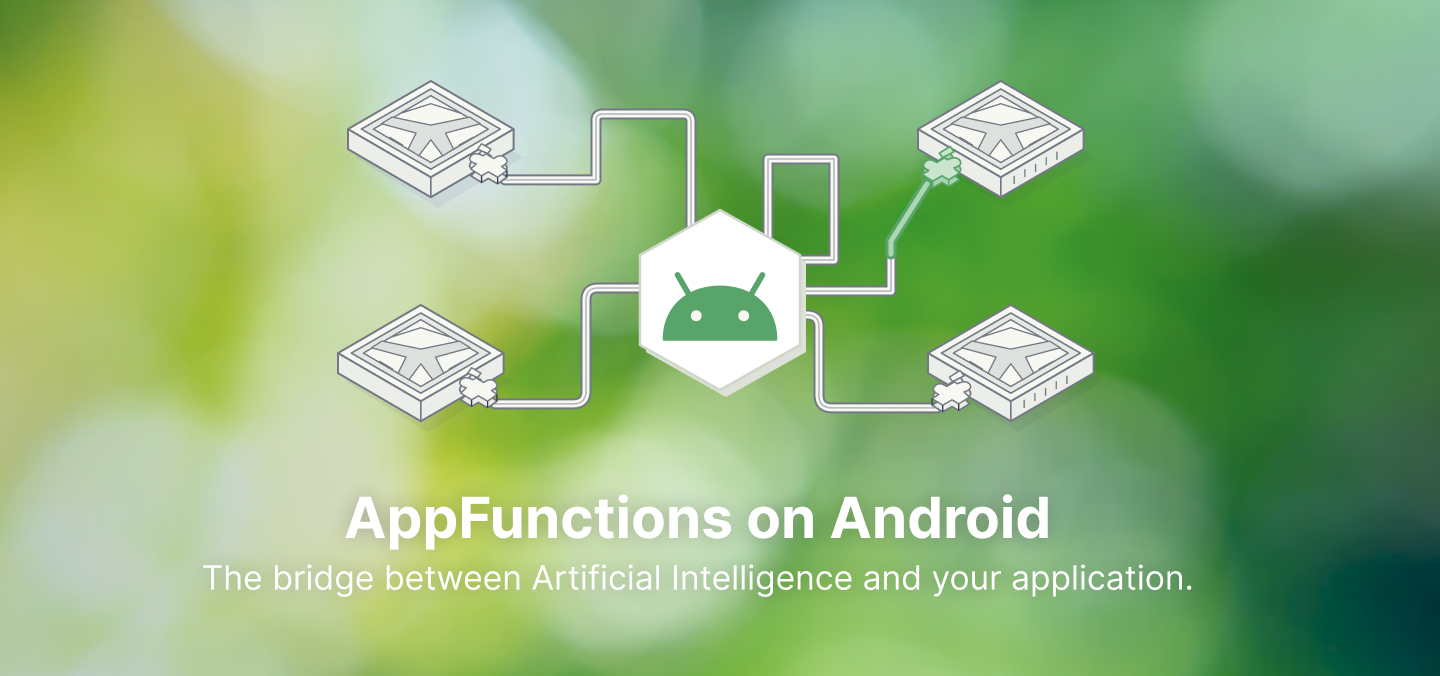
AppFunctions is an Android platform API paired with a Jetpack library that simplifies MCP integration on Android. It lets your app behave as an on-device MCP server: it exposes functions that act as tools, which authorized agents and assistants such as Gemini can discover and execute to fulfil what the user asks for.
Put another way: if the Model Context Protocol standardizes how an agent connects to a server’s tools, AppFunctions provides that same mechanism for Android apps. The functions you declare are registered in an index built into the operating system, and from there they become available to agents.
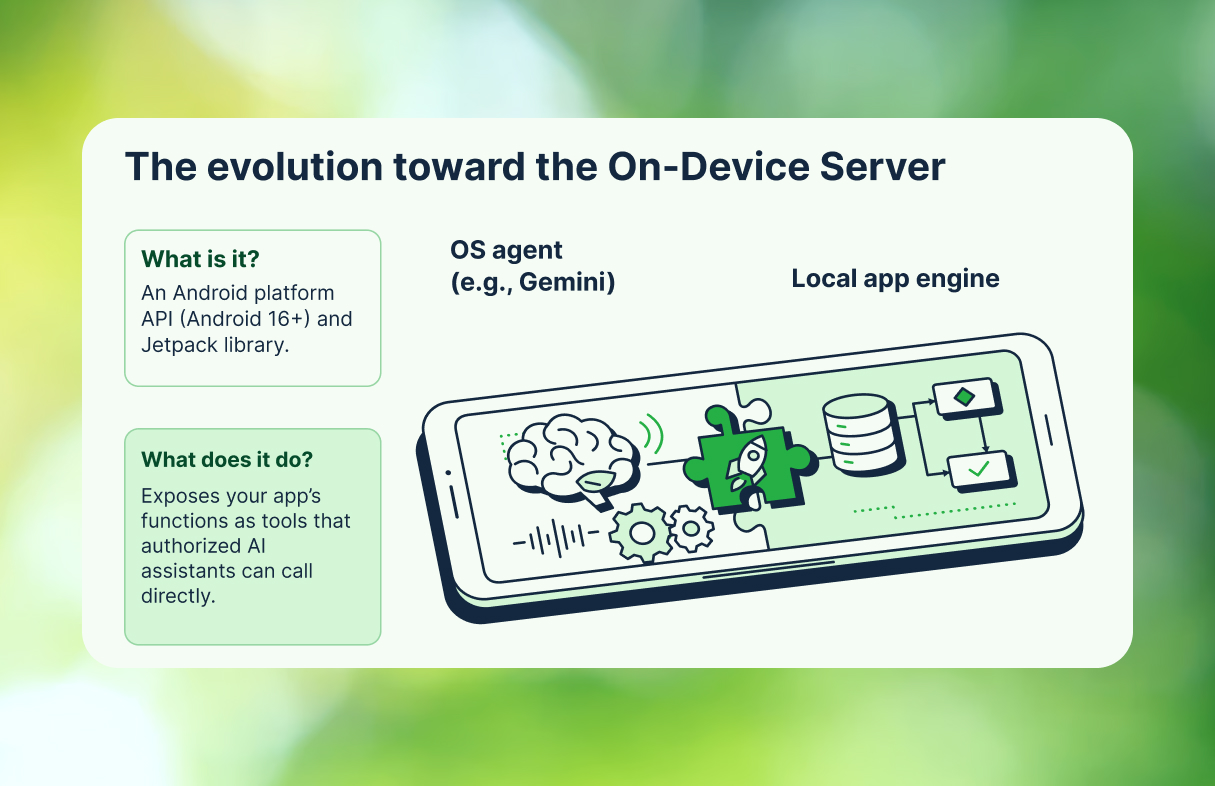
The system agent (for example, Gemini) invokes functions that run inside the app’s local engine.
2. AppFunctions vs. a traditional MCP server
Both approaches let an agent orchestrate tools, but they differ in architecture, latency and development effort. A standard MCP server is platform-agnostic and relies on cloud execution and network round trips. AppFunctions are Android-exclusive, OS-level hooks that run locally.
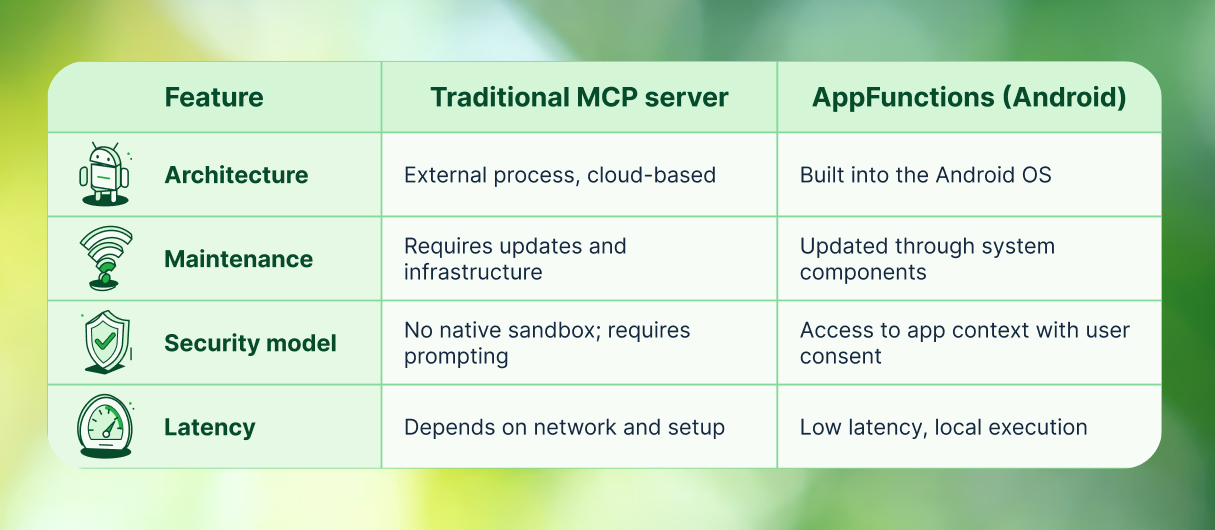
In practice, this translates into three clear advantages:
- No server to maintain. You don’t need to build, host or operate an MCP server in the cloud; everything lives in your app.
- Contextual state. Actions run with the user’s current session and local data, with no re-authentication.
- Latency and privacy. Because execution happens on the device, responses are faster and sensitive data stays out of the cloud.

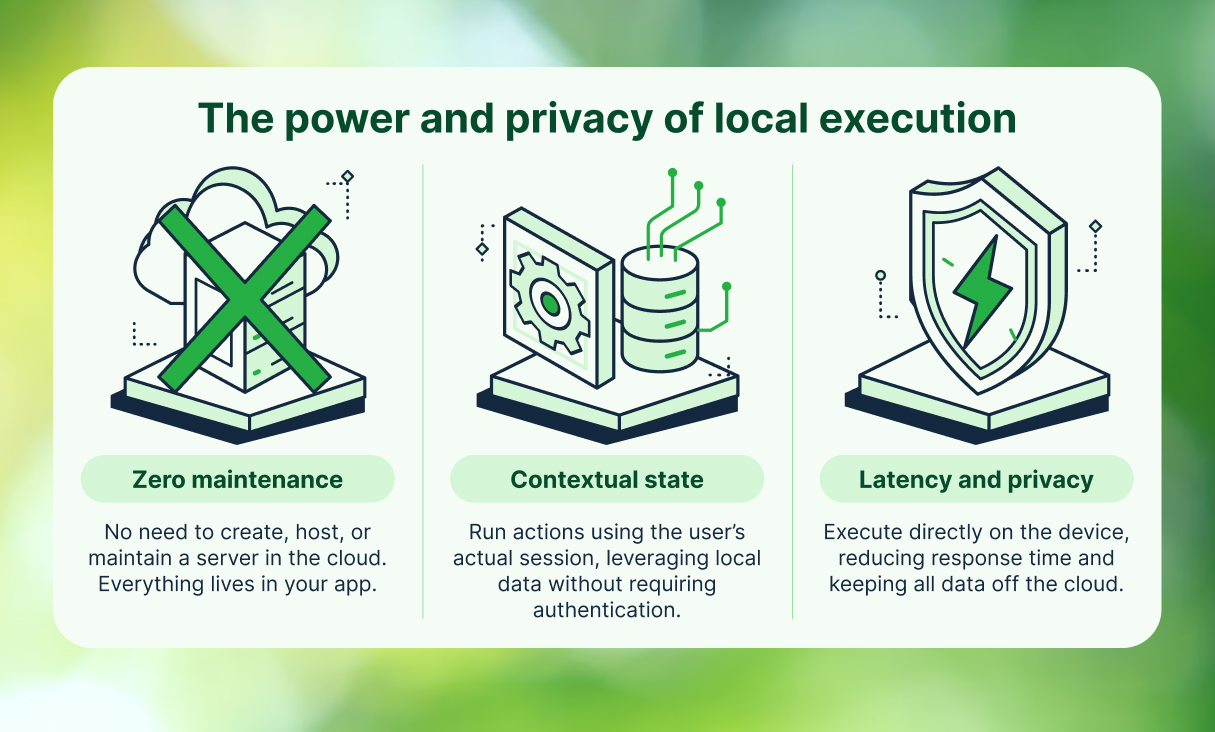
The three pillars of local execution: zero maintenance, contextual state, latency and privacy.
Note that the two are not mutually exclusive. An agent can combine remote MCP tools and local AppFunctions when handling a single request.
3. How they work
The lifecycle of an AppFunction has four stages:
- The app annotates the functions it wants to expose, such as “Create note” or “Send message”.
- Schema generation. At build time, the Jetpack library generates an XML schema listing every declared function. Android uses it to index them.
- Metadata retrieval. The agent queries the metadata: each function’s description (KDoc) and, optionally, app-level patterns and constraints that guide orchestration.
- Selection and execution. Based on the user’s instruction, the agent picks the right function and executes it with the appropriate parameters.
Step 1: Declaring the functionality
The core building block is the AppFunction annotation. It turns a regular method into an indexable tool; its typed parameters become the exact signature the agent must fill in from natural language. The library takes care of mapping everything to the system registry.
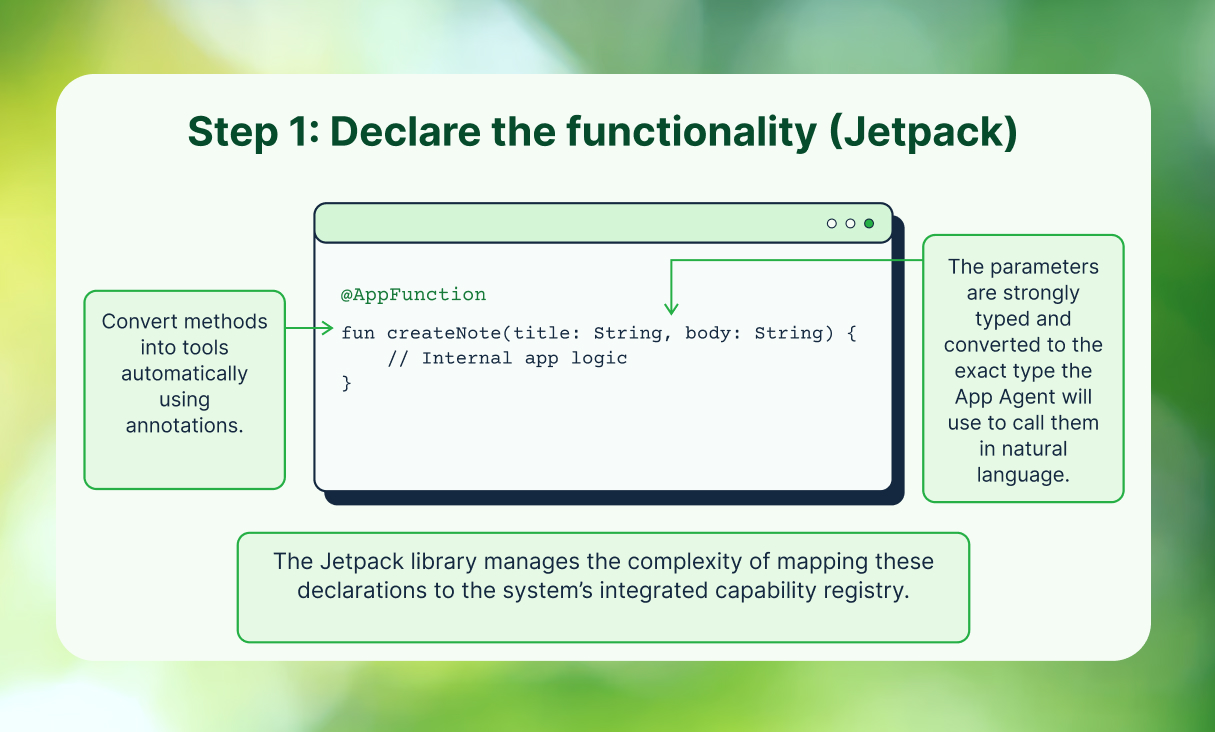
The AppFunction annotation turns standard methods into tools the agent can invoke.
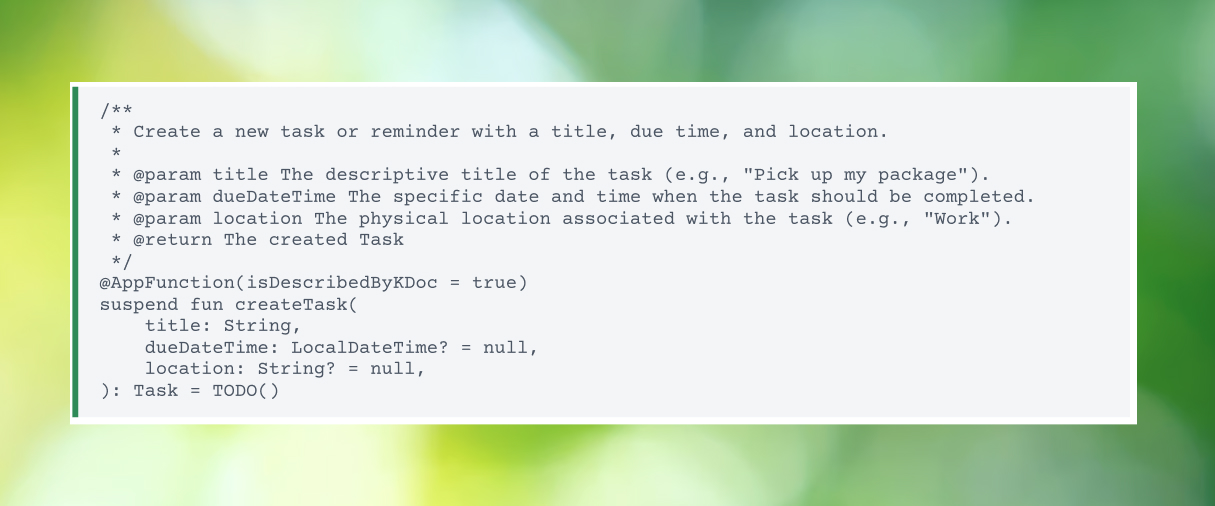
In real code, the recommended form is a suspend function with isDescribedByKDoc = true: the KDoc stops being mere documentation and becomes the description the agent reads to decide when and how to call the function.
Step 2: The service that hosts the functions
In a real app, functions live inside an AppFunctionService. This example from the official documentation shows a task app with dependency injection (Hilt), repository access and predefined exceptions so the agent knows why a call failed:
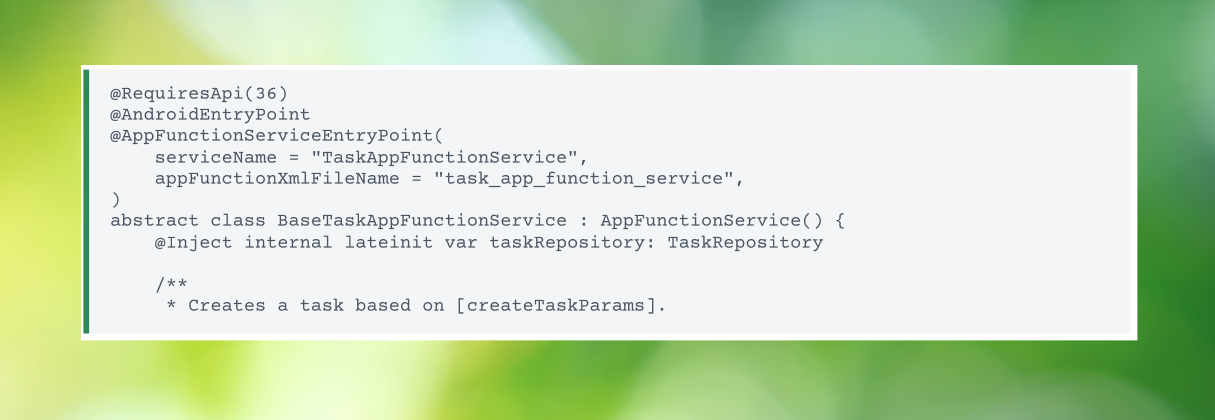
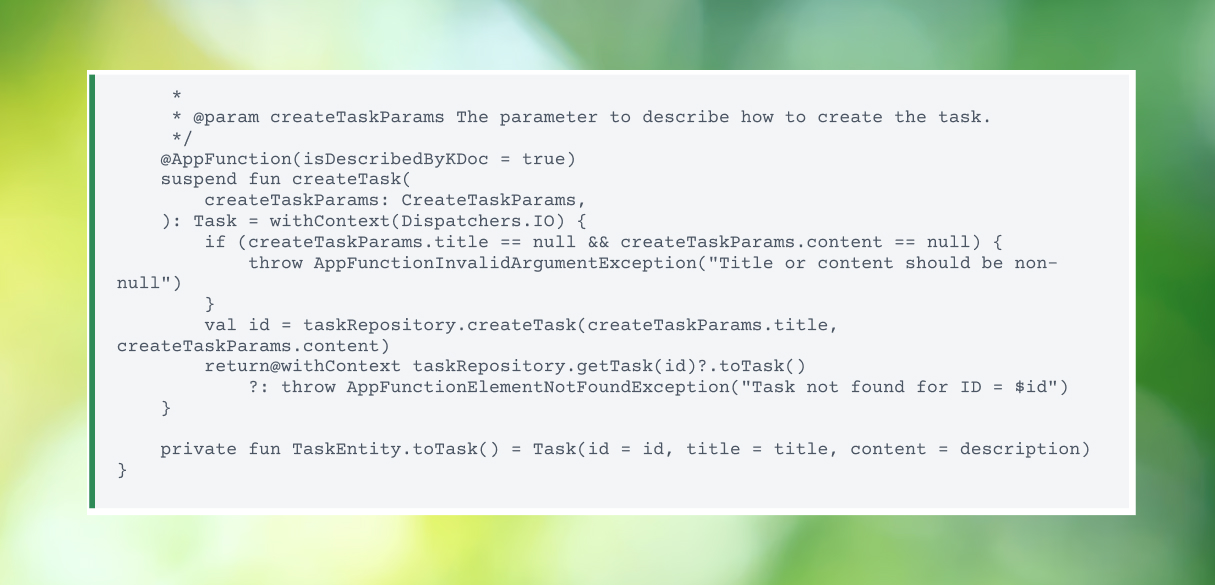
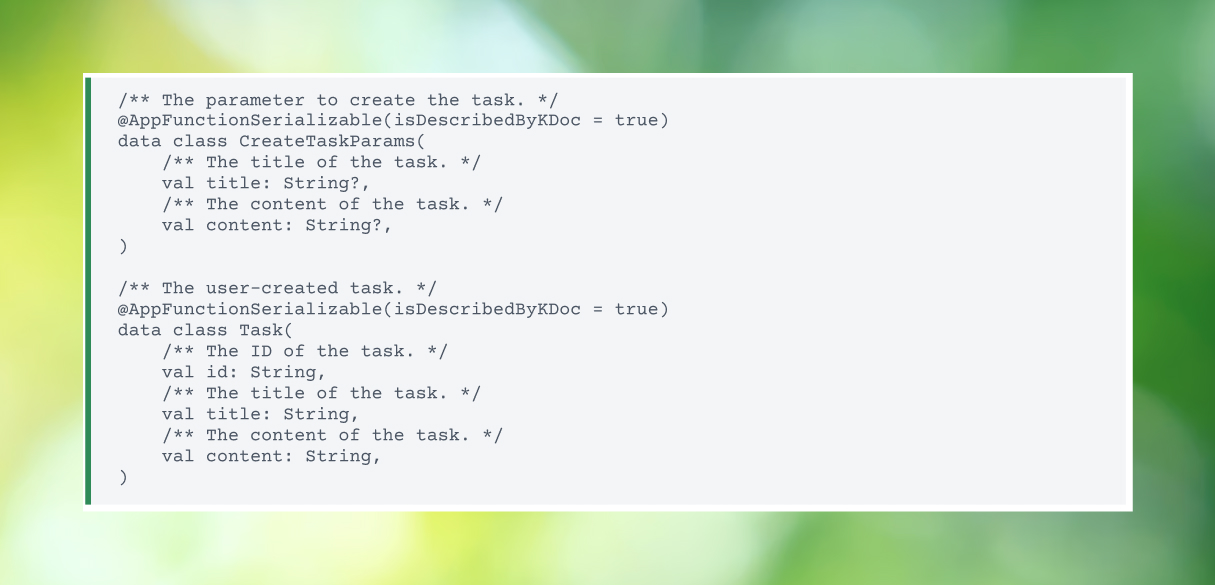
Input and output types are declared with @AppFunctionSerializable, so the agent knows their structure field by field:
4. Security: who can run your functions
Exposing your app’s logic to an agent raises an immediate question: who is allowed to call those functions? Android doesn’t leave the answer up to each app; the operating system itself enforces control at three levels:
- Strict permission. Only callers holding permission.EXECUTE_APP_FUNCTIONS can discover and execute other apps’ AppFunctions. Callers can be agents, apps or assistants such as Gemini.
- Support check. The caller first verifies that the device supports AppFunctions by obtaining an AppFunctionManager instance, and then checks whether a specific function is enabled with isAppFunctionEnabled(packageName, functionId).
- Your app doesn’t need to check anything. If you are the one exposing functions, the Jetpack library handles compatibility automatically.

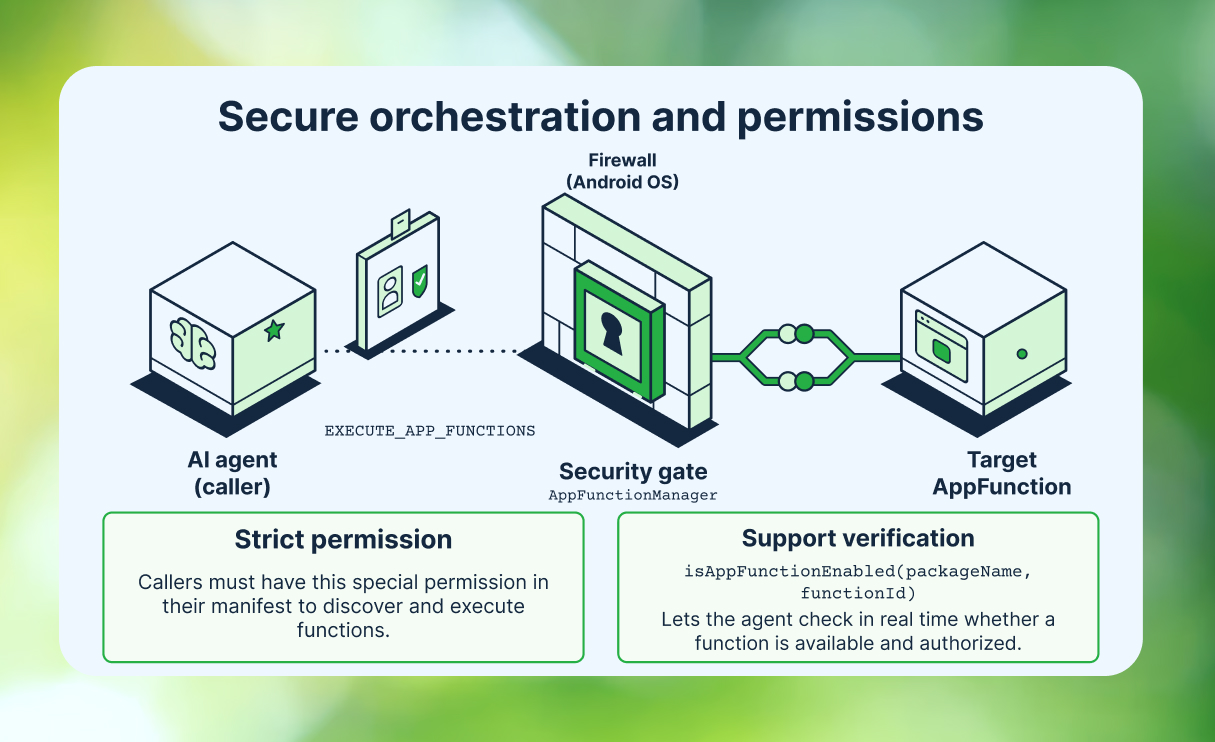
AppFunctionManager acts as a security gate between the calling agent and the target function
5. Use cases: how they fit in practice
The documentation offers several scenarios that illustrate the pattern well: a natural-language request is translated into one or more calls to well-described functions.
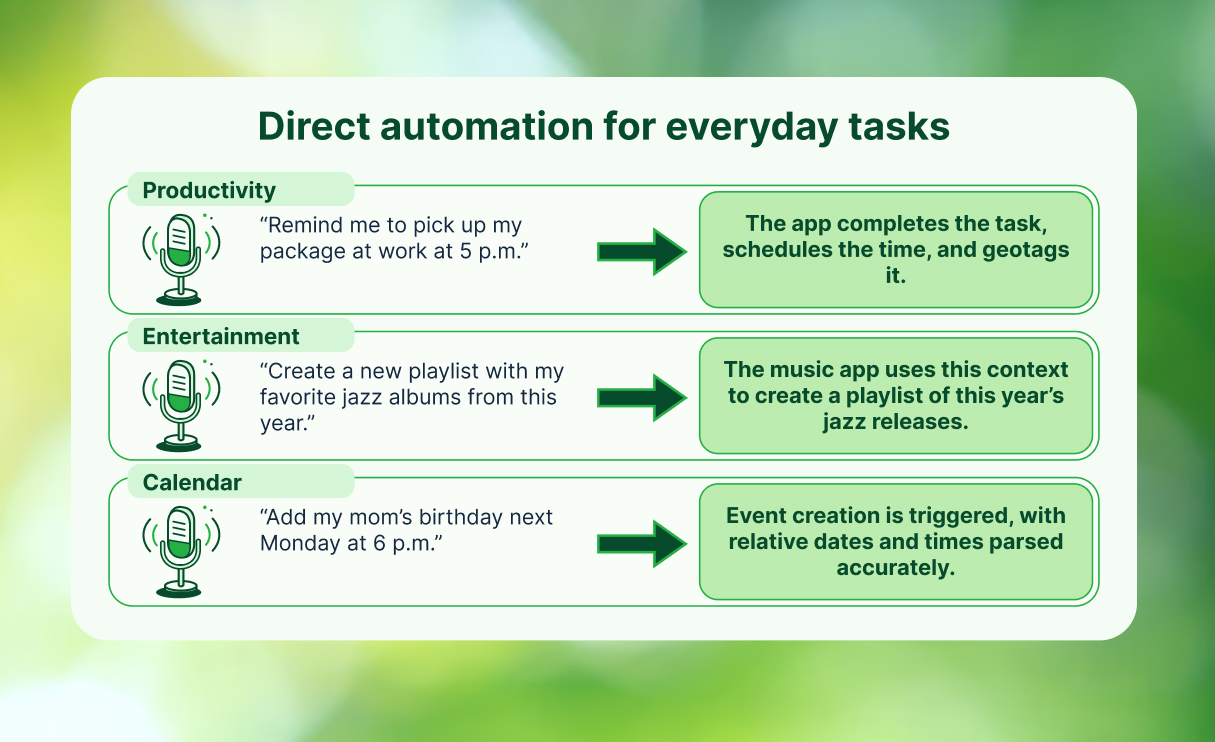
Productivity, entertainment and calendar: three voice requests, three AppFunctions.
Productivity
“Remind me to pick up my package at work today at 5 p.m.” The agent identifies the task app and invokes createTask, filling in the title, time and location (the function we saw in Step 1).
Entertainment
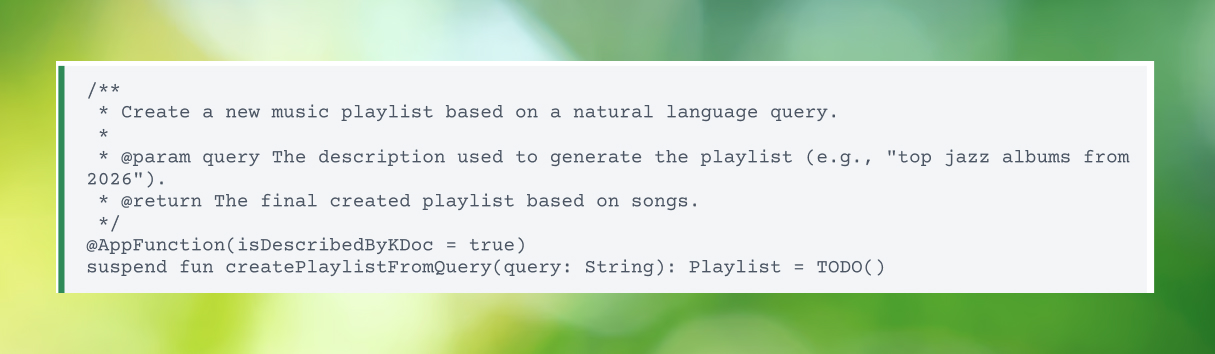
“Create a new playlist with this year’s top jazz albums.” The agent passes the full context as a query to the music app:
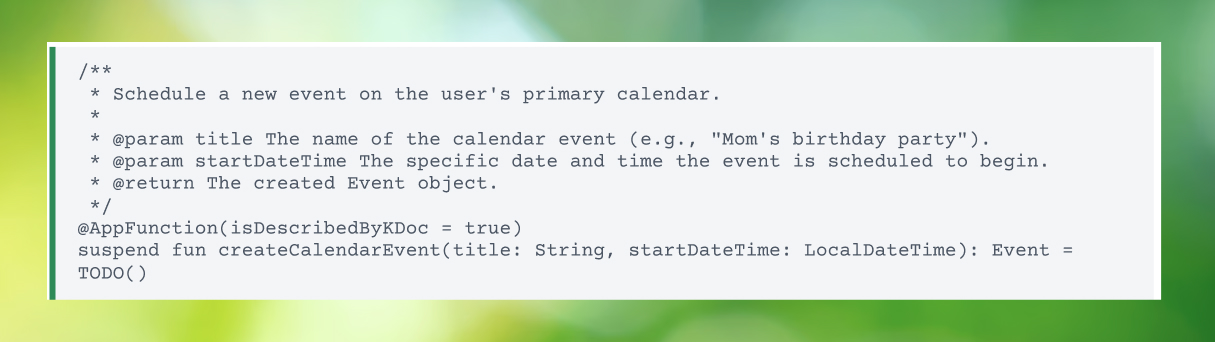
Calendar
“Add Mom’s birthday party to my calendar for next Monday at 6 p.m.” The agent resolves the relative dates into an exact date and time and creates the event without the user opening the calendar:
6. Current status and next steps
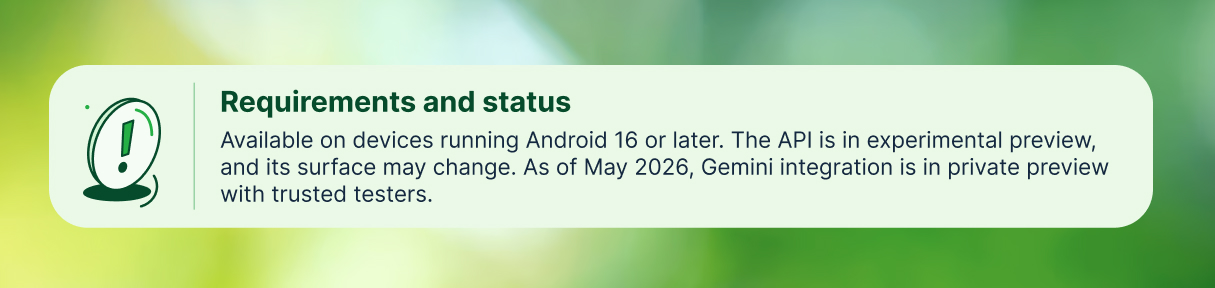
You can already implement and test AppFunctions in your app today. What remains limited is access by system agents: during the experimental phase, only a small set of apps and agents can use the full pipeline. If you implement functions and your agent can’t see them, that is expected behavior.
To get ready for general availability:
- Identify which of your app’s actions make sense for an agent: those that currently take several steps and have clear inputs.
- Implement them with precise KDocs; they are the interface the model reads.
- Verify that your functions are registered on the device with adb shell cmd app_function list-app-functions.
- If you want to reach production sooner, sign up for the Early Access Program (EAP). Signing up does not grant automatic access; Google contacts the apps it selects.
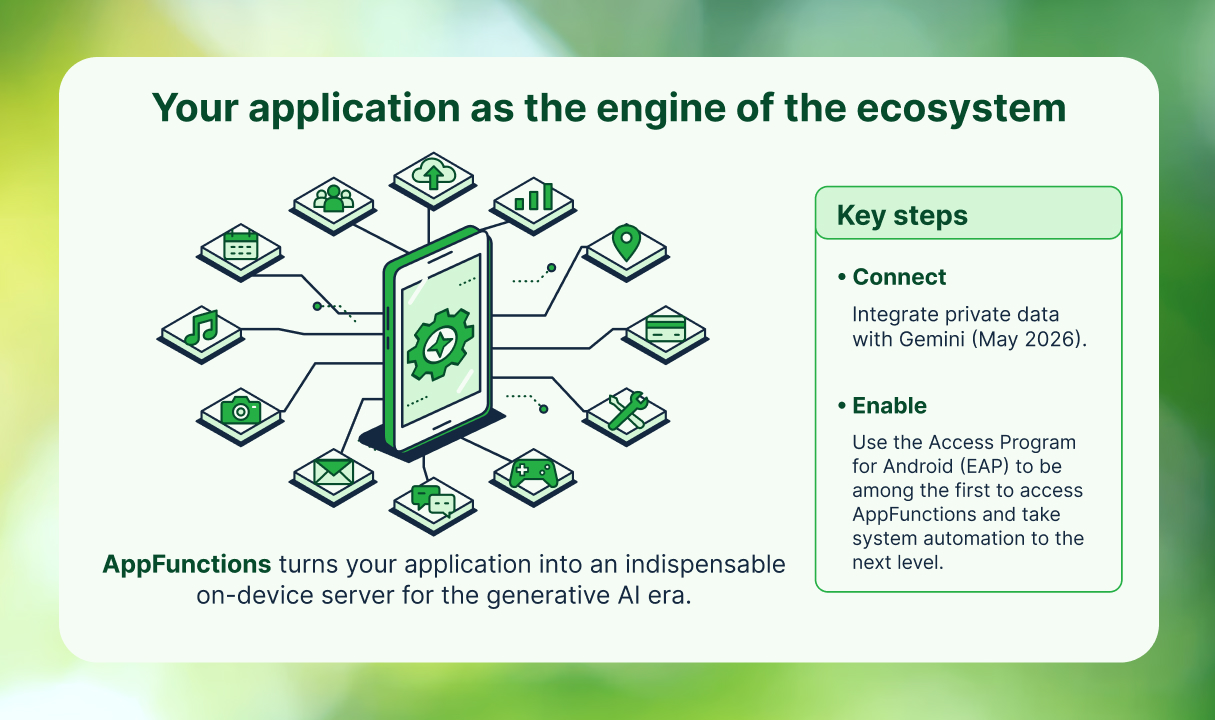
Every app becomes a building block in an ecosystem the system AI can orchestrate.
Conclusion
AppFunctions brings the MCP tool model into the Android operating system itself. For developers, the change is small in code and large in reach: annotating well-typed, well-described functions turns your app into a local capability server, with no extra infrastructure, with access to the user’s state and without data leaving the device. The API is still experimental, but the pattern is clear: the apps that expose good functions will be the ones agents can use.
References
Android Developers, “AppFunctions overview”: developer.android.com/ai/appfunctions
Official sample: github.com/android/appfunctions
Agent skill: github.com/android/skills/tree/main/device-ai/appfunctions